
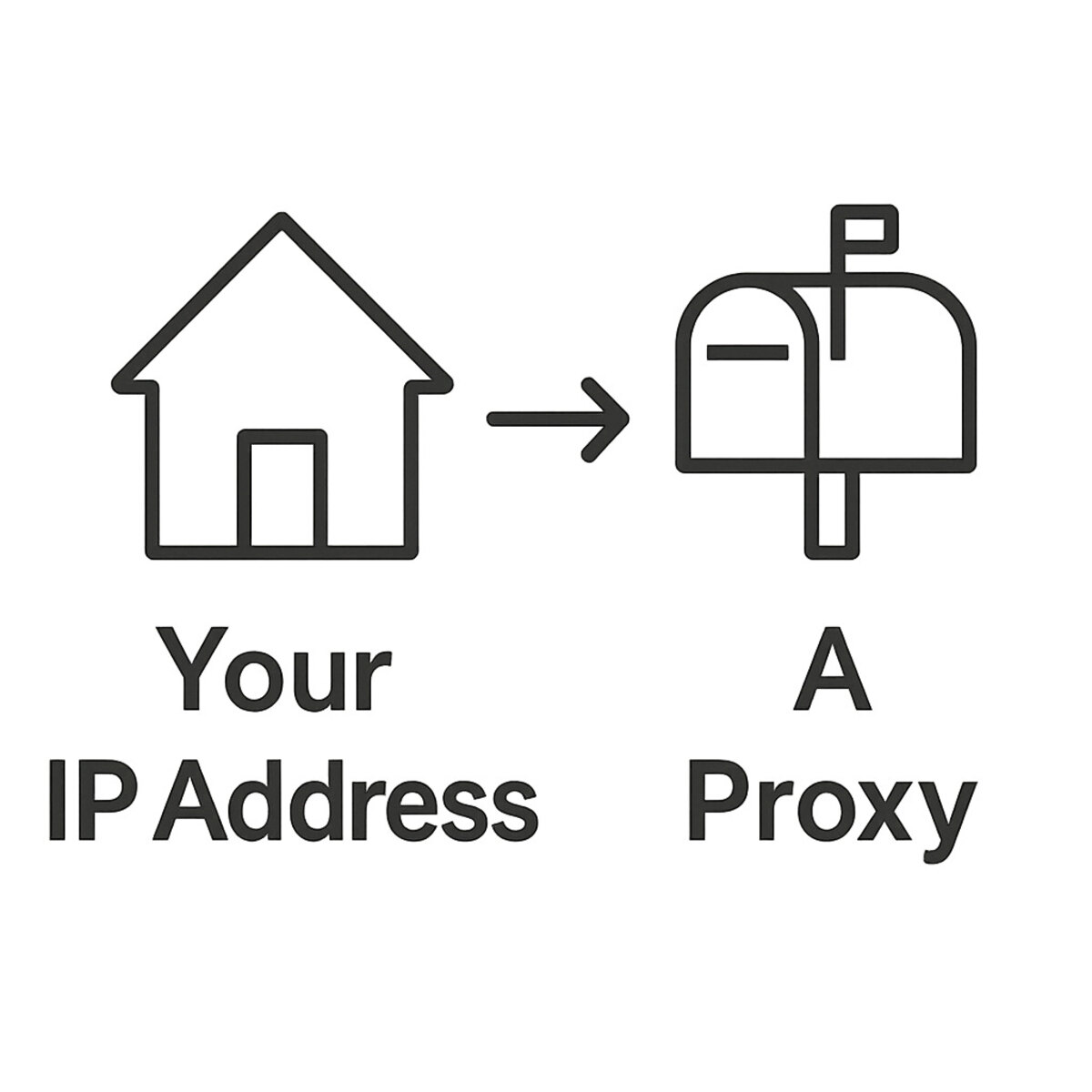

Ever wonder how your social media feed knows to show you ads for local pizza places, even when you haven’t shared your location? Or how an app might lock you out when you’re on vacation? The reason is a simple piece of information called an IP address, which acts like a unique “return address” for your device on the internet. How do I find the best datacenter proxies?
Think of your IP address like the mailing address for your house. Every time you visit a website, your computer shares this address so the site knows where to send the information back. According to common knowledge in cybersecurity, this address gives social media platforms a general idea of your location, like your city or state. This is usually helpful, but it can create problems if you want more privacy or need to manage an account from somewhere new.
This is where a simple but powerful tool comes into play. So, what is a social media proxy? Imagine it as a digital P.O. Box or a mail forwarding service for your internet traffic. Instead of connecting directly to Instagram or TikTok, your device first connects to the proxy. The proxy then forwards your request to the site using its own address, not yours.
To the social media platform, it looks like your request came from the proxy’s location, keeping your real address private. Using proxies for social media accounts gives you control over your digital location, which is the key to preventing lockouts and enabling more anonymous social media browsing. It’s a simple change of address that makes a big difference.
Why Social Media Cares About Your Location (And How It Can Go Wrong)
Have you ever wondered why social media platforms are so interested in your location? It’s not just for showing you local ads. Your IP address acts as a crucial security signal. Platforms like Instagram and Facebook learn your typical location, so if your account suddenly logs in from thousands of miles away, their automated systems may flag it as a potential hack and lock you out for safety. While this feature is designed to protect you, it can sometimes misfire and cause frustrating problems for perfectly normal activity.
This well-intentioned security can backfire in several common ways, often leading to confusion and locked accounts. Many users run into trouble when their legitimate actions look suspicious to an automated system. This is a primary reason people search for ways to avoid social media IP blocks.
You might find yourself facing issues if you:
- Travel abroad and get locked out of your account, even with the right password.
- Manage multiple social media profiles, like a personal account and a page for your local club, from one computer.
- See irrelevant content because the platform thinks you’re in a location you’ve moved away from.
In these situations, you haven’t done anything wrong, but your IP address is telling a misleading story. The result can be anything from seeing the wrong ads to dealing with frequent account suspensions. The solution is surprisingly simple and works a lot like a mail forwarding service for your internet connection.
What is a Proxy, Really? The Mail Forwarding Service for Your Internet
That “mail forwarding service” for your internet is called a proxy server. Think of it as a helpful middleman. Instead of your computer connecting directly to a website like Instagram or Facebook, it first connects to this proxy. The proxy then takes your request and forwards it to the website for you, acting on your behalf. This simple detour is the key to managing your online identity. The core question of what is a social media proxy boils down to this: it’s an intermediary that separates your personal device from the sites you visit.
Here’s how it works in practice. Let’s say you’re in Paris and want to check your Instagram feed. You connect to your proxy, which is physically located back in your home city of Chicago. The proxy then sends the request to Instagram. From Instagram’s perspective, the login attempt is coming from Chicago—a familiar, trusted location—not from a new and unexpected spot in France. All the data then flows back through the proxy to you.
The result is simple but powerful. The website you visit never sees your personal IP address; it only sees the proxy’s address. This creates a layer of privacy, enabling more anonymous social media browsing. For anyone wondering how to use a proxy for Instagram to prevent being locked out while traveling, this is the secret. You make it appear as though you never left home, keeping the platform’s security systems happy and your account accessible.
In essence, a proxy gives you control over your digital “return address.” It’s a straightforward way to solve frustrating IP-related problems without needing a computer science degree. But if you’ve heard about tools that change your location online, this might sound a lot like a VPN. Are they the same thing? While they seem similar, they have important differences.
Are Proxies and VPNs the Same Thing? A Common Point of Confusion
While both proxies and VPNs change your online location, they’re often confused despite working in fundamentally different ways. Think of it like this: a proxy is a bodyguard for a single VIP—it only handles the traffic for one specific application you tell it to, like your web browser. A VPN, on the other hand, is a full-security motorcade for the entire family. When you turn it on, it protects and reroutes all internet traffic from your device, no matter which app it comes from.
The biggest difference lies in that scope and a feature called encryption. A VPN encrypts your entire connection, essentially making your online activity unreadable to outsiders. This is fantastic for general privacy, like when you’re using public Wi-Fi. However, social media proxies are more targeted. If you set up a Twitter proxy in your browser, for example, your email app and streaming services will continue to use your normal internet connection, completely unaffected.
So, for the specific task of managing proxies for social media accounts, a proxy is often the simpler and more direct tool. It solves the location problem for a single platform without changing how the rest of your device works. It’s like using a specialized key for one lock instead of changing the master key for the whole building. But just as not all keys are cut from the same quality metal, not all proxies are created equal.
Why Not All Proxies Are Created Equal: The “Office Building” vs. The “Suburban Home”
This difference in proxy quality comes down to a simple question: where does the proxy’s IP address come from? To social media platforms, some addresses look more trustworthy than others. Think of it as the difference between an address in a massive office building and one in a quiet suburban neighborhood.
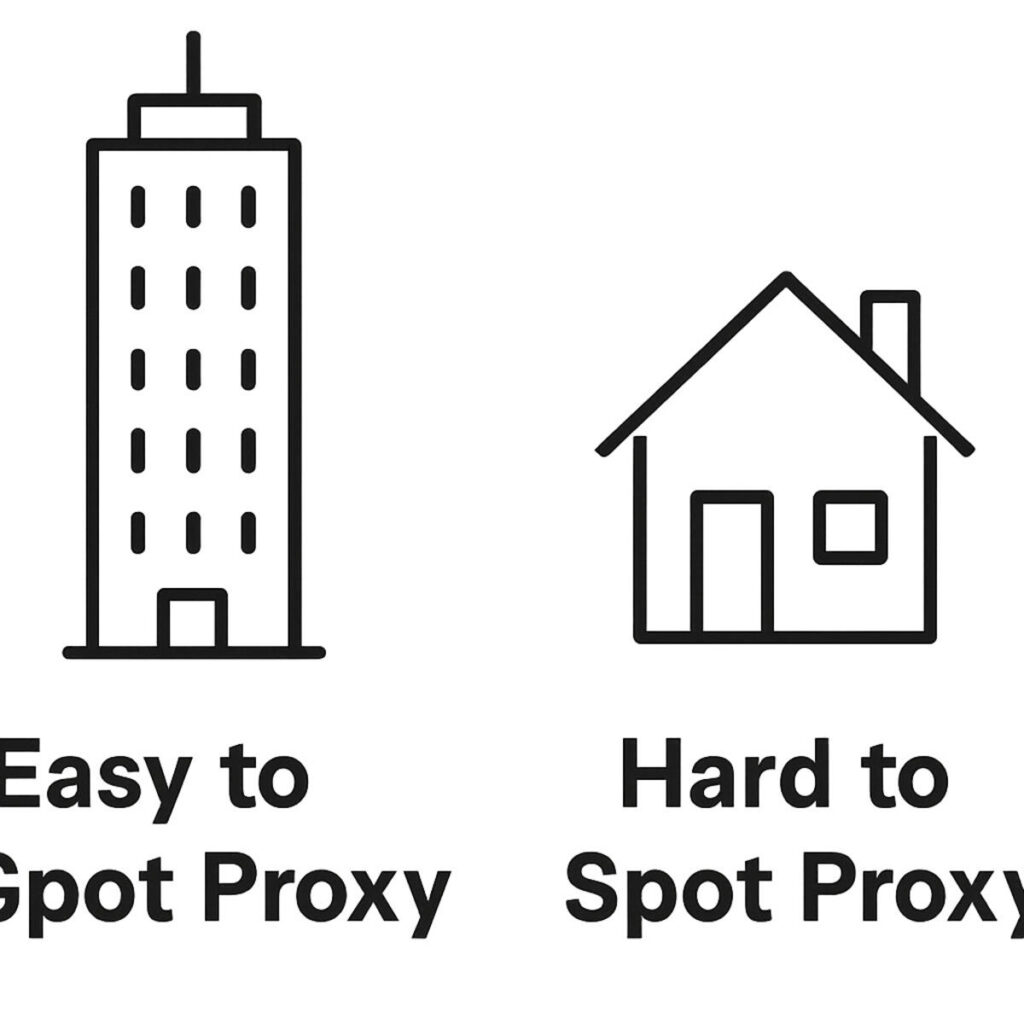
Imagine a proxy whose address is in a giant, commercial data center—our “office building.” Hundreds or even thousands of other proxy users might be connecting from that same building. Social media sites like Twitter and Instagram know that regular people don’t browse from these locations. Seeing a connection from a known data center is an immediate red flag, putting your account at risk of being flagged or blocked. This is a crucial distinction to understand when considering proxies for Twitter or any other platform.
In contrast, a higher-quality proxy has an IP address that belongs to a real home internet connection—our “suburban home.” To a social media platform, a connection from this proxy looks exactly like a normal user logging in from their living room. This makes it by far the best proxy for social media marketing or safely managing multiple accounts. For an even greater level of trust, securing a dedicated IP for social media automation—one that only you use—ensures your activity looks consistent and natural over time.
Ultimately, what matters most is that the proxy makes you look like a regular person, not a robot in a server farm. The “suburban home” proxy provides that camouflage, helping keep your accounts safe and sound. But there’s one more type of proxy that offers an even higher level of trust, taking this idea of a “real” connection one step further.
The “Cell Phone” of Proxies: A Special Type for Maximum Trust
That next step in trust takes us from the living room right into the palm of your hand. Think about how you use social media every day—often, it’s on your phone, using your mobile data plan. Mobile proxies, also known as 4G or 5G proxies, work the same way. They make your connection look like it’s coming from a real person’s cell phone on a major carrier network, like Verizon or AT&T. This isn’t just good camouflage; it’s the ultimate disguise.
The secret to their power lies in how mobile networks operate. A single mobile IP address is often shared by hundreds, or even thousands, of different people in the same area. Social media platforms know they can’t risk blocking that IP address, because doing so could cut off a huge number of legitimate users. This built-in trust makes them an effective solution for frequent account suspensions, as platforms are far less likely to flag an IP that so many real people depend on.
Because of this high level of trust, mobile proxies are indispensable for the most sensitive tasks. Creating a brand-new social media account, for instance, is an activity that platforms watch very closely. Using 4G mobile proxies for account creation makes your new profile appear as if it was set up by an ordinary person on their phone, significantly reducing the chance of an immediate flag or ban. This makes them arguably the best proxy for social media marketing efforts that start from scratch. While these premium proxies offer incredible safety, it can be tempting to cut corners with “free” alternatives—a choice that often carries hidden risks.
The Hidden Dangers of “Free” Proxies
The idea of getting something for nothing is always appealing, but when it comes to online security, it’s a major red flag. If a company offers a free proxy service, you have to ask: how are they making money? The answer is often unsettling. In most cases, you aren’t the customer; you are the product. These services need to pay for their servers somehow, and they frequently do it by monetizing your activity.
This business model puts your personal information directly at risk. When you use a free proxy, you’re sending all your internet traffic—including usernames, passwords, and private messages—through a server run by an unknown third party. This is like giving your mail to a stranger to forward; you have no guarantee they won’t open it first. To avoid social media IP blocks safely, you need a service you can trust, not one that might be selling your data.
Before using a free proxy for TikTok or Instagram, be aware of the common dangers:
- Your Data Can Be Stolen: Free proxy operators can easily capture your login details or other sensitive information you type.
- They’re Slow and Already Banned: Most free proxies are overused and slow. Social media sites easily detect and block them, making them useless for their intended purpose.
- They Can Inject Malware: Some free services inject unwanted ads or even malicious software into the websites you visit, compromising your device.
Ultimately, trying to achieve anonymous social media browsing with a free proxy often does the opposite, exposing you to far greater risks than you started with. For legitimate goals, a different approach is needed.
Use Case 1: Managing Multiple Social Media Accounts Safely
Let’s put this into a real-world context. Imagine you run a small business, like a local bookstore. You have your personal Instagram account, but you also manage the store’s official profile. When you log into both from your home or shop computer, social media platforms see two separate accounts always coming from the same internet address (your IP). This can sometimes trigger their security systems, which are designed to look for unusual activity.
Social media platforms generally prefer to see one person behind one account. When multiple accounts are accessed from a single IP, they can get suspicious and might assume the accounts are being run by a bot or for spam. The safest way to manage multiple social media profiles anonymously is to make each one look like it’s coming from a completely different person in a different place. The golden rule is simple: one account, one unique IP address.
This is where a quality proxy becomes invaluable. By using a specific Facebook proxy for your business page, for instance, you are giving it a dedicated IP for social media. Now, when you log into your personal account, it uses your normal internet connection. But when you connect to your business page through its assigned proxy, it looks to Facebook like the request is coming from a totally separate location.
By creating this digital separation, you prevent your accounts from being accidentally linked or flagged. Your business profile operates independently, keeping it and your personal account safe and in good standing. This same principle of using a different IP address is also incredibly useful when you’re on the move.
Use Case 2: How to Access Your Accounts While Traveling Abroad
Have you ever landed on vacation, excited to post a photo, only to find your favorite social media app is blocked? Or worse, you try to log in and your account is temporarily frozen for “suspicious activity”? This happens because platforms like Instagram or TikTok see your request coming from a new country and get nervous. It’s a frustrating but common problem, and a prime example of how you can suddenly face social media IP blocks just by traveling.
This is another area where a proxy acts as your digital passport. Before you open your app, you connect to a proxy server based back in your home country. From that point on, all your activity is routed through that proxy. To TikTok, it looks like you’re logging in from your living room, not a hotel thousands of miles away. While free proxies are an option, they are often unreliable and easily spotted, so a dedicated one is much safer.
The result is seamless and secure access to your accounts, no matter where you are in the world. You can post, scroll, and share without triggering security alerts or hitting a frustrating geo-block. This kind of anonymous social media browsing, where your true location is masked, keeps your digital life consistent. This same ability to appear as if you’re somewhere else isn’t just for accessing your own accounts—it’s also perfect for doing a bit of “digital window shopping” in other markets.
Use Case 3: Doing “Digital Window Shopping” Anonymously
That same power to change your digital location isn’t just for getting back into your accounts; it’s also for looking into entirely new worlds. Social media platforms are designed to create a local bubble for you. Your feed shows you ads for nearby restaurants and posts from local influencers. But what if you’re a small business owner curious about what your competitors are doing in another state? Or a creator who wants to know what’s trending in London instead of your hometown?
This is where a proxy becomes a tool for simple market research. By connecting through a proxy located in, say, Miami, your social media apps will treat you as if you’re a local resident. Suddenly, your feed populates with Miami-based ads, popular regional topics, and content from businesses targeting that area. For a company checking on a competitor’s page, using a Facebook proxy to appear local is an invaluable strategy. It’s a much simpler approach than complex methods like manually scraping social media data with proxies.
Using social media proxies for this kind of “digital window shopping” gives you an authentic glimpse into what customers and communities are seeing elsewhere. It helps you understand different markets, find inspiration, and stay ahead of trends without ever leaving your desk. This raises an interesting question: when your traffic goes through that proxy, is it traveling through a busy public hub or a private, dedicated lane?
Should Your Proxy’s “Address” Be Shared or Private?
That question of a public hub versus a private lane gets to the heart of a crucial choice: using a shared or a dedicated IP. Think of it in terms of a physical address. A shared IP is like living in a massive apartment building; hundreds of residents all use the same main street address to receive their mail. In contrast, a dedicated IP is like owning a single-family home. That address is yours and yours alone, offering complete privacy.
On the internet, this distinction carries real weight. When using a shared IP, you have no idea who your digital “neighbors” are. If another person using that same address gets it flagged by a social media site for spammy behavior, your account can get caught in the crossfire—even if you’ve followed all the rules. It’s a classic case of guilt by association. For anyone relying on proxies for their business, this “bad neighbor” risk is too significant to ignore when choosing the best proxy for social media marketing.
For this reason, a private, dedicated address is the safest bet for protecting your important accounts. Using a dedicated IP for social media ensures your account’s reputation is tied only to your actions, giving you control and peace of mind. But what if having one private address isn’t enough? What if you wanted to switch between a few different private addresses automatically? This brings us to another powerful concept: IP rotation.
What Is “IP Rotation” and Do I Need It?
Building on the idea of a private address, IP rotation is like having a whole stack of different private addresses that your proxy service automatically swaps for you. Instead of appearing from the same location every time, IP address rotation for social accounts makes it look like your requests are coming from a new place with each action, or after a set amount of time—like every ten minutes. It’s an automated way to constantly change your digital disguise.
So, why the constant costume change? This technique is crucial for users performing very high-volume, automated tasks. Think of a large marketing agency conducting market research. To do this, they might use advanced tools for scraping social media data with proxies to analyze public trends across hundreds of regions. If all those requests came from one IP, they’d be quickly blocked. Rotation spreads the activity out, making it harder to detect.
For most people managing a personal brand or a single business page, however, this is usually overkill and can even be counterproductive. Social media platforms value consistency. If you log into your bakery’s Instagram account from a New York IP, then five minutes later from a Los Angeles IP, it looks suspicious and can trigger a security alert. For regular account management, a stable, dedicated IP provides the predictable behavior that keeps your account safe.
Ultimately, the choice comes down to your goal. If you need to perform thousands of automated actions without being noticed, rotation is your tool. But for securing and managing one or two important accounts, a single, dedicated IP is the safer and more reliable option. Now that you understand the different types of proxy addresses, you might be wondering how to connect one to your account without the technical headache.
A Quick Guide to Setting Up a Proxy (Without the Technical Headache)
The idea of “setting up” a proxy can sound intimidating, but the reality is often much simpler than you think. You don’t need to be a tech wizard or write a single line of code. The process is less about complex configuration and more about copying and pasting a few pieces of information into the right settings box, similar to how you’d enter a new Wi-Fi password to get online. This simple setup is the foundation of learning how to use a proxy for Instagram or any other platform.
When you get a proxy from a provider, they will give you a small set of “credentials.” Think of it like a new address and a key. You’ll typically receive four things: the proxy’s address (a string of numbers called an IP), a “port” number (like a specific door number at that address), a username, and a password. Whether you need a Twitter proxy or one for another service, this information is your unique key to using that middleman server for your internet connection.
Your final step is to tell your computer or a specific application to use that key. This is usually done in a simple settings menu, either within your computer’s network preferences or inside a specialized management tool. For example, this is exactly how to set up proxy for a social media bot or other automated software. Once entered, your traffic is routed through the proxy automatically. But with so many providers out there, knowing which one will give you a reliable and safe “key” is the most important decision you’ll make.
Final Checklist: Choosing a Safe and Effective Proxy Service
A social media proxy is a simple tool—a digital P.O. Box—that gives you control over your online identity. You now have a practical understanding of how they work, why they’re used, and what separates a good service from a bad one. This knowledge equips you to protect and manage your online world with confidence.
If you ever find yourself needing one, choosing the right proxy doesn’t have to be complicated. Instead of getting lost in technical details, use this simple four-point checklist to find a trustworthy provider:
- Location Type: Does it look like a “Suburban Home” (Residential) or a “Cell Phone” (Mobile) to websites?
- Privacy: Can you get a “Private P.O. Box” (a dedicated, non-shared address)?
- Support: Is there a helpful support team available if you get stuck?
- Clarity: Is the pricing easy to understand, with no hidden fees?
By focusing on these points, you can confidently evaluate various social media proxies to find the best fit for your marketing or personal access needs.
